


You will not be allowed to compare more than 4 products at a time
View compareTp-Link Tapo 2K Qhd Pan/Tilt Security Camera For Pet Camera, Baby Monitor, Motion Detection, Motion Tracking, 2-Way Audio, Night
Tp-Link Tapo 2K Qhd Pan/Tilt Security Camera For Pet Camera, Baby Monitor, Motion Detection, Motion Tracking, 2-Way Audio, Night
Regular price
$45.58 USD
Sale price
$45.58 USD
Regular price
$45.58 USD
Unit price
per
Shipping calculated at checkout.
Out of stock
Out of stock
Sold by CuteBabyBuy — Trusted baby & kids' products store, operated by AmiVentures Inc.
Returns accepted within 30 days | support@cutebabybuy.com
Shipping Information
- Free Standard Shipping — United States only
- Processing Time: 3–5 business days
- Estimated Delivery: 6–10 business days after dispatch
- Securely packed to ensure your purchase arrives in perfect condition
- Tracking number sent via email once dispatched
Returns & Refund
Returns accepted within 30 days of delivery.
Damaged or Defective Item
Free return shipping + replacement or full refund
Wrong Item Received
Free return shipping + replacement or full refund
Change of Mind
Return shipping at customer's expense · Item must be unused & in original packaging
All returns require a Return Authorization (RA) number before sending.
View Full Return & Refund Policy
Safety & Compliance
⚠️
California Proposition 65 Warning
Some products sold on this website may expose you to chemicals known to the State of California to cause cancer, birth defects, or other reproductive harm.
www.P65Warnings.ca.gov
🛒
General Product Safety Advisory
Always read the product label, instructions, and safety warnings before use. Do not use damaged or modified products. Store products in appropriate conditions as specified by the manufacturer.
Keep all products out of reach of children unless specifically designed for their use.
ℹ️
Product Authenticity & Notice
All products sold by CuteBabyBuy are 100% authentic, sourced directly from trusted suppliers in the USA. Product colors and dimensions may vary slightly from images due to screen calibration and manufacturing tolerances.
CuteBabyBuy — Operated by AmiVentures Inc. Delivered Nationwide.
Share
Couldn't load pickup availability
Guarantee safe and secure checkout
Description
Description
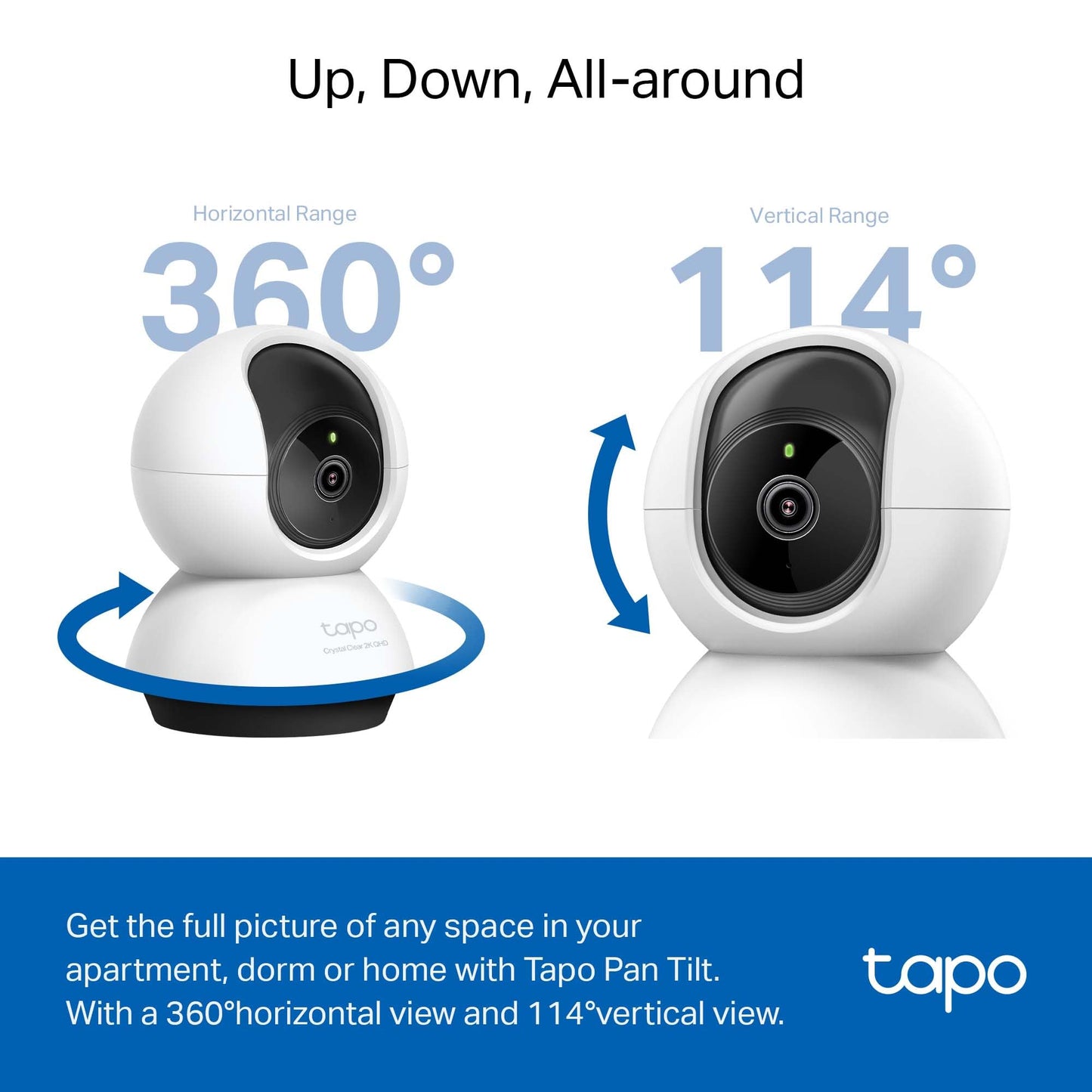
With crystal clear 2K 4MP video, the Tapo C220 Home Security Wi-Fi Pan/Tilt camera gives you the ability to always keep an eye on your family, pets, and protect your home. With person and motion detection, get instant notifications that matter when there is activity going on. Also used as a baby camera monitor, Tapo C220 provides free baby crying detection. Check what's inside your home, even at night with night vision thanks to the integrated IR sensor. With device sharing, you and a family member can both monitor the feed making keeping an eye on the little ones just a little bit easier. Record footage continuously onto a 512 GB micro-SD card (not included). Adjust the cameras field of view across 360 horizontally and 114 vertically with the pan/tilt controls in the app to focus the camera on the areas you want. With crisp 2-way audio, you'll never truly be away again with the ability to hold clear conversations with who's there. Additionally keep your family safe from unwanted intruders by playing the built-in siren and light alarm.


Frequently Asked Questions
- Q: What are the dimensions of the TP-Link Tapo C220 camera? A: The TP-Link Tapo C220 camera measures three point thirty-six inches in length, three point forty-three inches in width, and four point sixty-five inches in height.
- Q: What is the video resolution of the Tapo C220? A: The Tapo C220 captures video in two thousand twenty-four by one thousand five hundred thirty-six pixels, which corresponds to two K QHD high definition.
- Q: What material is the Tapo C220 made of? A: The Tapo C220 is constructed from durable plastic, ensuring a lightweight yet sturdy design.
- Q: How do I set up the Tapo C220 camera? A: To set up the Tapo C220, connect it to a two point four gigahertz Wi-Fi network using the Tapo app, and follow the in-app instructions.
- Q: Can I use the Tapo C220 as a baby monitor? A: Yes, the Tapo C220 can be used as a baby monitor, offering features like baby crying detection and two-way audio.
- Q: What is the field of view of the Tapo C220 camera? A: The Tapo C220 has a pan and tilt capability that allows for a field of view of three hundred sixty degrees horizontally and one hundred fourteen degrees vertically.
- Q: How do I store footage from the Tapo C220? A: You can store footage from the Tapo C220 on a microSD card with a capacity of up to five hundred twelve gigabytes for local storage.
- Q: Can I integrate the Tapo C220 with smart home devices? A: Yes, the Tapo C220 is compatible with Amazon Alexa and Google Assistant for easy integration with smart home systems.
- Q: How do I clean the Tapo C220 camera? A: To clean the Tapo C220, use a soft, dry cloth to wipe the exterior and avoid using harsh chemicals that could damage the plastic.
- Q: Is the Tapo C220 suitable for night use? A: Yes, the Tapo C220 is equipped with night vision capabilities, allowing it to function effectively in low-light conditions.
- Q: What should I do if the Tapo C220 camera doesn't connect to Wi-Fi? A: If your Tapo C220 camera doesn’t connect to Wi-Fi, ensure your phone is connected to the same two point four gigahertz network and restart the camera.
- Q: Is there a warranty for the Tapo C220 camera? A: Yes, the Tapo C220 typically comes with a limited warranty; please check the manufacturer's documentation for specific details.
- Q: Can I share access to the Tapo C220 camera with family? A: Yes, the Tapo C220 allows device sharing, enabling family members to monitor the camera feed simultaneously.
- Q: Does the Tapo C220 have a built-in alarm feature? A: Yes, the Tapo C220 includes a built-in siren and light alarm to help deter unwanted intruders.
- Q: How do I reset the Tapo C220 camera? A: To reset the Tapo C220, press and hold the reset button for about five seconds until the indicator light flashes, indicating a successful reset.