


You will not be allowed to compare more than 4 products at a time
View compareMotorola Mbp163Connect Audio Baby Monitor - Wireless Wifi Smart Device For Toddlers, Infants, Nursery - With 10 Soothing Sounds,
Motorola Mbp163Connect Audio Baby Monitor - Wireless Wifi Smart Device For Toddlers, Infants, Nursery - With 10 Soothing Sounds,
Regular price
$13.16 USD
Sale price
$13.16 USD
Regular price
$13.16 USD
Unit price
per
Shipping calculated at checkout.
Out of stock
Out of stock
Sold by CuteBabyBuy — Trusted baby & kids' products store, operated by AmiVentures Inc.
Returns accepted within 30 days | support@cutebabybuy.com
Shipping Information
- Free Standard Shipping — United States only
- Processing Time: 3–5 business days
- Estimated Delivery: 6–10 business days after dispatch
- Securely packed to ensure your purchase arrives in perfect condition
- Tracking number sent via email once dispatched
Returns & Refund
Returns accepted within 30 days of delivery.
Damaged or Defective Item
Free return shipping + replacement or full refund
Wrong Item Received
Free return shipping + replacement or full refund
Change of Mind
Return shipping at customer's expense · Item must be unused & in original packaging
All returns require a Return Authorization (RA) number before sending.
View Full Return & Refund Policy
Safety & Compliance
⚠️
California Proposition 65 Warning
Some products sold on this website may expose you to chemicals known to the State of California to cause cancer, birth defects, or other reproductive harm.
www.P65Warnings.ca.gov
🛒
General Product Safety Advisory
Always read the product label, instructions, and safety warnings before use. Do not use damaged or modified products. Store products in appropriate conditions as specified by the manufacturer.
Keep all products out of reach of children unless specifically designed for their use.
ℹ️
Product Authenticity & Notice
All products sold by CuteBabyBuy are 100% authentic, sourced directly from trusted suppliers in the USA. Product colors and dimensions may vary slightly from images due to screen calibration and manufacturing tolerances.
CuteBabyBuy — Operated by AmiVentures Inc. Delivered Nationwide.
Share
Couldn't load pickup availability
Guarantee safe and secure checkout
Description
Description
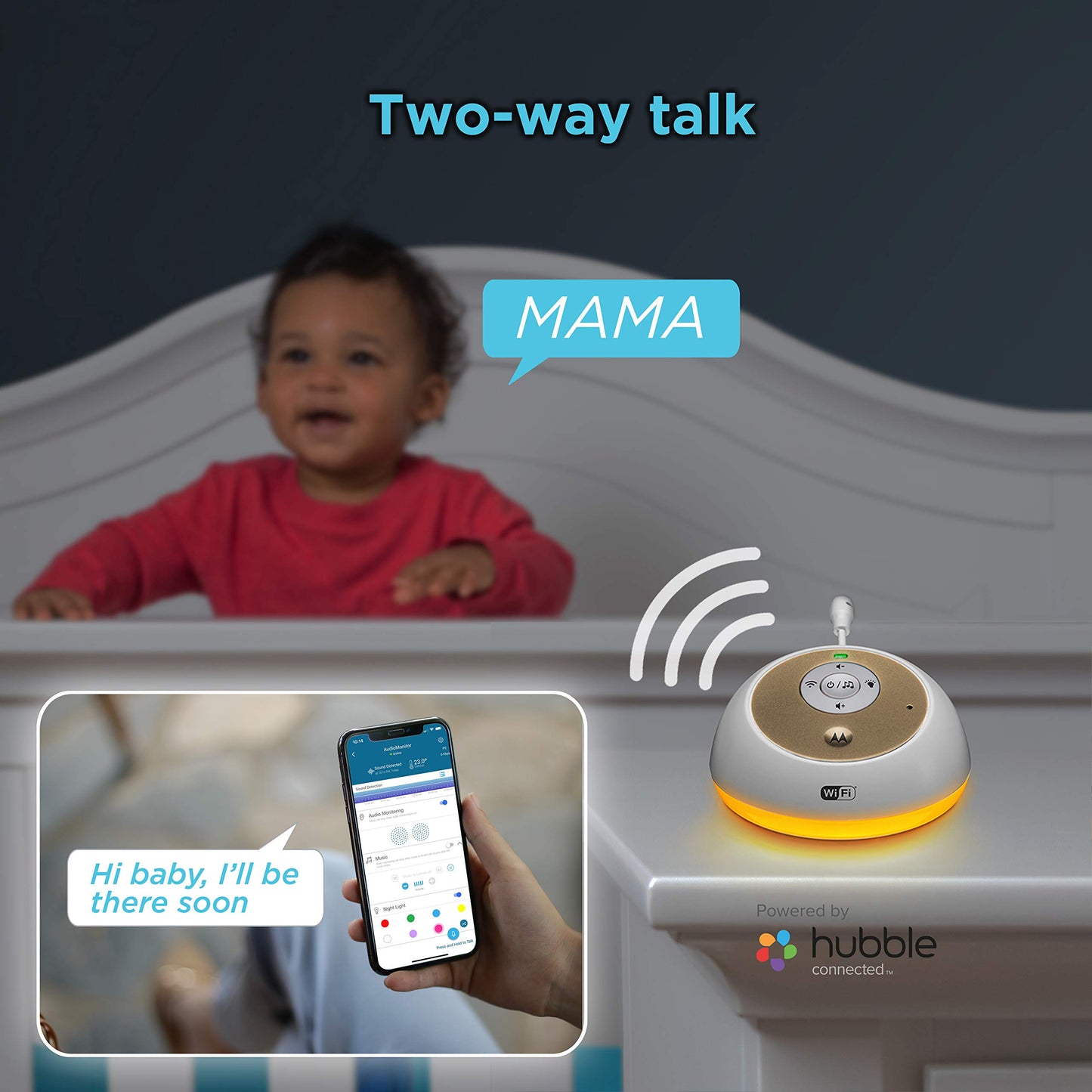
Want to stay updated on your child's sleep even when you are not home? Your infant requires your full-time attention, even while they are asleep. Unfortunately, there will be times when you need to leave for work. As a parent, being away from your baby can make you feel worried, even if you leave them with a capable sitter. There are many baby monitors that can keep you updated, but only if you are also at home. For a busy parent like you who is always on the go, what you need is a baby monitor that keeps you in touch with your baby even if you are thousands of miles away. Stay connected with your baby 24/7 with Motorola's MBP163CONNECT Audio Baby Monitor. Enjoy peace of mind wherever you may be. Using high-sensitivity microphones that can capture the slightest sounds, this audio infant monitor keeps you notified in real-time on your phone or tablet whenever noise gets detected in your child's room. Use the soothing power of your voice to comfort your baby, especially for times they wake up cranky and missing their mom and dad. Ease their worries and speak to them through the device using the monitor's built-in speakers. You may also create personal recordings of your voice for your little one to listen to if they wake up in a bad mood. With a room temperature monitoring feature, the monitor lets you know if your baby's room is starting to get too hot or cold. Go into the nursery and make the necessary adjustments before they start getting uncomfortable or fussy. Need more time to make up your mind? Check out more features of this baby monitor: ?? Download more lullabies, soothing sounds, and audiobooks from the Hubble app ?? Auto-Off timer (15, 30, 60 minute settings) ?? Adjustable volume ?? Easy-to-use interface Out of sight doesnt have to mean out of reach. Add Motorola's MBP163CONNECT Audio Baby Monitor to your cart TODAY!


Frequently Asked Questions
- Q: What are the dimensions of the Motorola MBP163CONNECT Audio Baby Monitor? A: The dimensions are five point four inches in length, three point six inches in width, and one point seventy-five inches in height. This compact size makes it easy to place in any nursery setting.
- Q: What color options are available for the Motorola MBP163CONNECT? A: The Motorola MBP163CONNECT is available in white. This neutral color fits seamlessly into most nursery decors.
- Q: What is included in the Motorola MBP163CONNECT set? A: The product comes as a two piece set. It includes both the monitor unit and the charging station for convenience.
- Q: How do I use the Motorola MBP163CONNECT Audio Baby Monitor? A: To use, download the Hubble app and connect your smartphone or tablet. You can then monitor sounds from your child's room remotely.
- Q: Is the Motorola MBP163CONNECT suitable for all ages of children? A: Yes, it is suitable for infants, toddlers, and children of all ages. The monitor adapts to your child's needs as they grow.
- Q: Can I control the volume on the Motorola MBP163CONNECT? A: Yes, the monitor features adjustable volume settings. You can easily set it to your preferred listening level.
- Q: How do I clean the Motorola MBP163CONNECT Audio Baby Monitor? A: To clean, wipe the monitor with a damp cloth. Avoid using harsh chemicals to ensure the safety of your baby.
- Q: Does the Motorola MBP163CONNECT have a battery life? A: Yes, it operates with lithium-ion batteries. Ensure they are charged regularly for uninterrupted monitoring.
- Q: Is the Motorola MBP163CONNECT safe for use in a nursery? A: Yes, it is designed specifically for nursery use. The materials and features prioritize safety and convenience for parents.
- Q: What if I experience issues setting up the Motorola MBP163CONNECT? A: If you encounter issues, refer to the user manual or contact Motorola's customer support for assistance. They can help troubleshoot any problems.
- Q: How can I reset the Motorola MBP163CONNECT if needed? A: To reset, follow the instructions in the user manual for your specific device model. This usually involves pressing a reset button.
- Q: Can I use the Motorola MBP163CONNECT without WiFi? A: No, the monitor requires a WiFi connection to function properly. Ensure your home network is stable for best performance.
- Q: Does the Motorola MBP163CONNECT come with a warranty? A: Yes, it typically comes with a manufacturer’s warranty. Check the packaging for specific terms and duration.
- Q: What features help monitor my baby's sleep patterns? A: The Hubble app provides insights into your baby's activity and quiet times, helping you understand their sleeping patterns better.
- Q: Can I comfort my baby remotely with the Motorola MBP163CONNECT? A: Yes, the monitor has a two-way intercom feature. You can speak to your baby through the device from anywhere.