

You will not be allowed to compare more than 4 products at a time
View compareMobi Mobicam Hdx Wi-Fi Pan & Tilt Smart Nursery Monitoring Camera, Baby Video Monitor, Night Vision, Motion Detection, Full Hd,
Mobi Mobicam Hdx Wi-Fi Pan & Tilt Smart Nursery Monitoring Camera, Baby Video Monitor, Night Vision, Motion Detection, Full Hd,
Regular price
$60.53 USD
Sale price
$60.53 USD
Regular price
$60.53 USD
Unit price
per
Shipping calculated at checkout.
Out of stock
Out of stock
Sold by CuteBabyBuy — Trusted baby & kids' products store, operated by AmiVentures Inc.
Returns accepted within 30 days | support@cutebabybuy.com
Shipping Information
- Free Standard Shipping — United States only
- Processing Time: 3–5 business days
- Estimated Delivery: 6–10 business days after dispatch
- Securely packed to ensure your purchase arrives in perfect condition
- Tracking number sent via email once dispatched
Returns & Refund
Returns accepted within 30 days of delivery.
Damaged or Defective Item
Free return shipping + replacement or full refund
Wrong Item Received
Free return shipping + replacement or full refund
Change of Mind
Return shipping at customer's expense · Item must be unused & in original packaging
All returns require a Return Authorization (RA) number before sending.
View Full Return & Refund Policy
Safety & Compliance
⚠️
California Proposition 65 Warning
Some products sold on this website may expose you to chemicals known to the State of California to cause cancer, birth defects, or other reproductive harm.
www.P65Warnings.ca.gov
🛒
General Product Safety Advisory
Always read the product label, instructions, and safety warnings before use. Do not use damaged or modified products. Store products in appropriate conditions as specified by the manufacturer.
Keep all products out of reach of children unless specifically designed for their use.
ℹ️
Product Authenticity & Notice
All products sold by CuteBabyBuy are 100% authentic, sourced directly from trusted suppliers in the USA. Product colors and dimensions may vary slightly from images due to screen calibration and manufacturing tolerances.
CuteBabyBuy — Operated by AmiVentures Inc. Delivered Nationwide.
Share
Couldn't load pickup availability
Guarantee safe and secure checkout
Description
Description
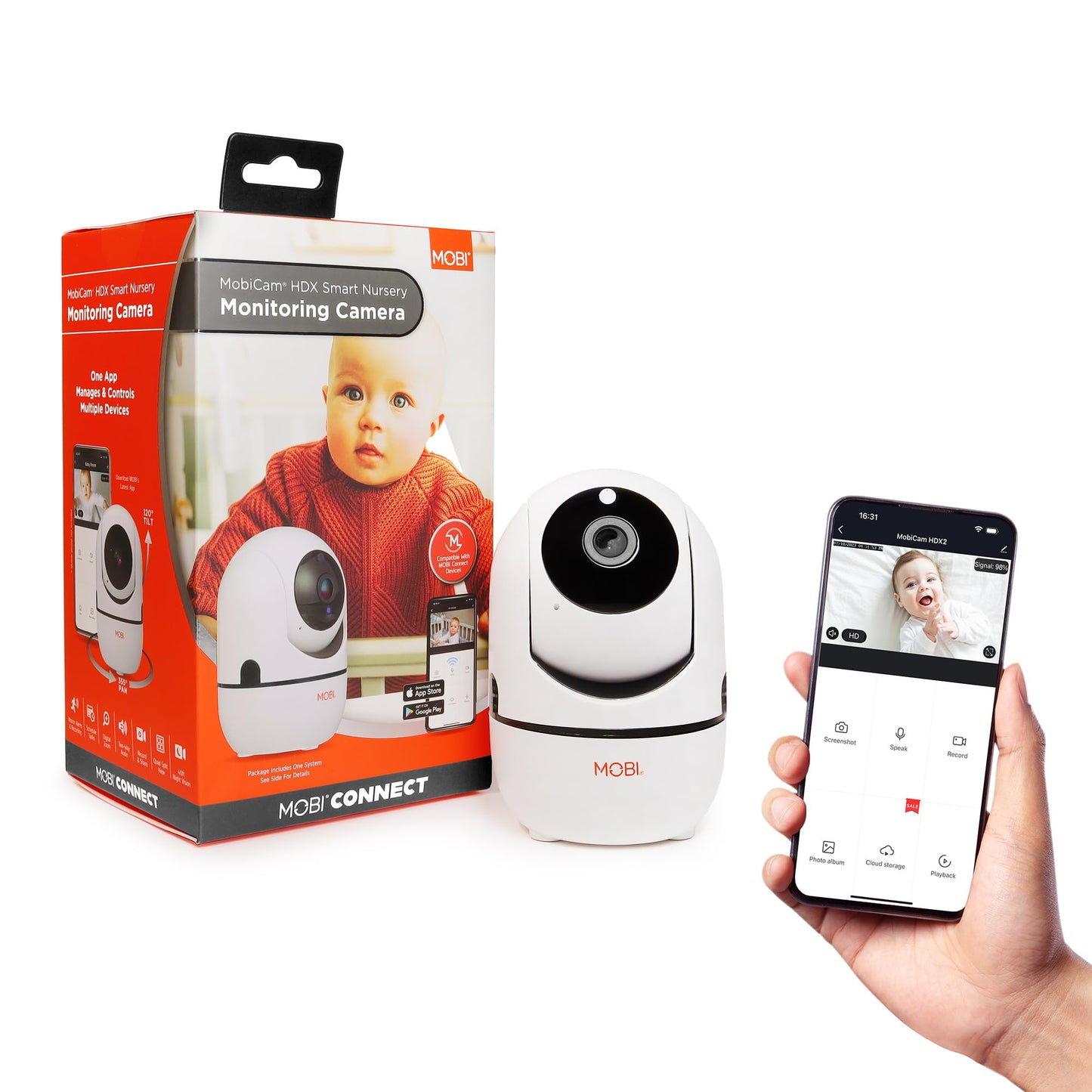
Monitor your Baby and indoor home environments effortlessly 247 -using the MOBI Smart App to remotely control, correspond, and record in every direction -with the option to zoom, all at top-notch camera quality The Mobicam HDX Pan & Tilt Wi-Fi camera offers 355APan & 120ATilt control from anywhere so you can see the entire room, powerful night vision and two-way audio with playback of your recordings Users can watch up to 16 cameras simultaneously and with Scheduled Motion Detection Settings to prevent unnecessary alerts The system is flexible and expandable with additional cameras and sensors to Agrow with youA as more monitoring is needed during lifeAs ages and stages MOBIAs products inspire todays savvy parents and caregivers to have control and maintain connections with their loved ones from anywhere in the world Be assured things are a-okay with eyes, ears, and even a voice on the scene MOBIAs free app helps monitor your loved ones with other AMOBI connectA devices all in one app
Frequently Asked Questions
- Q: What are the dimensions of the MobiCam Indoor Camera? A: The MobiCam Indoor Camera measures two and a half inches in length, two and a half inches in width, and four and a half inches in height. This compact size makes it easy to place in various locations around your home.
- Q: What is the model number of the MobiCam Indoor Camera? A: The model number of the MobiCam Indoor Camera is seven zero one nine six. This identification helps in finding compatible accessories and support.
- Q: What color options are available for the MobiCam Indoor Camera? A: The MobiCam Indoor Camera is available in white. This neutral color blends well with most home decors.
- Q: How do I use the MobiCam Indoor Camera with my smartphone? A: To use the MobiCam Indoor Camera with your smartphone, download the MOBI Smart App, connect the camera to your Wi-Fi, and follow the app's setup instructions. This allows you to monitor your space remotely.
- Q: Is the MobiCam Indoor Camera suitable for monitoring pets? A: Yes, the MobiCam Indoor Camera is suitable for monitoring pets. Its two-way audio feature allows you to communicate with your pets while you're away.
- Q: What are the recording modes available on the MobiCam Indoor Camera? A: The MobiCam Indoor Camera offers three recording modes: motion, manual, and continuous. This flexibility allows you to capture important moments in a way that fits your needs.
- Q: How do I maintain the MobiCam Indoor Camera for optimal performance? A: To maintain the MobiCam Indoor Camera, clean the lens regularly with a soft cloth and ensure it is free from obstructions. Regularly check the app for software updates to enhance performance.
- Q: Is the MobiCam Indoor Camera safe for use around children? A: Yes, the MobiCam Indoor Camera is safe for use around children. It is designed with safety in mind, featuring a secure wireless connection to prevent unauthorized access.
- Q: What should I do if I encounter issues with the MobiCam Indoor Camera? A: If you encounter issues with the MobiCam Indoor Camera, first restart the device and check your Wi-Fi connection. If problems persist, consult the user manual or contact customer support for assistance.
- Q: Does the MobiCam Indoor Camera have night vision? A: Yes, the MobiCam Indoor Camera features powerful night vision. This allows you to monitor your space even in low-light conditions, ensuring visibility at all times.
- Q: Can I set up motion alerts on the MobiCam Indoor Camera? A: Yes, you can set up motion alerts on the MobiCam Indoor Camera. These notifications will alert you via your smartphone whenever motion is detected.
- Q: How do I install the MobiCam Indoor Camera? A: To install the MobiCam Indoor Camera, plug it into a power source, download the MOBI Smart App, and follow the on-screen instructions for connecting it to your Wi-Fi network.
- Q: What kind of audio features does the MobiCam Indoor Camera have? A: The MobiCam Indoor Camera has two-way audio, allowing you to speak to loved ones or pets and hear them in return. This feature enhances communication while you're away.
- Q: Is the MobiCam Indoor Camera portable? A: Yes, the MobiCam Indoor Camera is portable, thanks to its compact size and lightweight design. This allows you to move it easily from one location to another as needed.
- Q: How do I ensure my MobiCam Indoor Camera is secure? A: To ensure your MobiCam Indoor Camera is secure, use a strong Wi-Fi password and regularly update the camera’s firmware through the MOBI Smart App to protect against unauthorized access.