


You will not be allowed to compare more than 4 products at a time
View compareIfamily Baby Monitor - Large 5' Screen With 30Hrs Battery Life - Remote Pan-Tilt-Zoom;No Wifi, Two-Way Audio, Night Vision, Tem
Ifamily Baby Monitor - Large 5' Screen With 30Hrs Battery Life - Remote Pan-Tilt-Zoom;No Wifi, Two-Way Audio, Night Vision, Tem
Regular price
$67.16 USD
Sale price
$67.16 USD
Regular price
$67.16 USD
Unit price
per
Shipping calculated at checkout.
Out of stock
Out of stock
Sold by CuteBabyBuy — Trusted baby & kids' products store, operated by AmiVentures Inc.
Returns accepted within 30 days | support@cutebabybuy.com
Shipping Information
- Free Standard Shipping — United States only
- Processing Time: 3–5 business days
- Estimated Delivery: 6–10 business days after dispatch
- Securely packed to ensure your purchase arrives in perfect condition
- Tracking number sent via email once dispatched
Returns & Refund
Returns accepted within 30 days of delivery.
Damaged or Defective Item
Free return shipping + replacement or full refund
Wrong Item Received
Free return shipping + replacement or full refund
Change of Mind
Return shipping at customer's expense · Item must be unused & in original packaging
All returns require a Return Authorization (RA) number before sending.
View Full Return & Refund Policy
Safety & Compliance
⚠️
California Proposition 65 Warning
Some products sold on this website may expose you to chemicals known to the State of California to cause cancer, birth defects, or other reproductive harm.
www.P65Warnings.ca.gov
🛒
General Product Safety Advisory
Always read the product label, instructions, and safety warnings before use. Do not use damaged or modified products. Store products in appropriate conditions as specified by the manufacturer.
Keep all products out of reach of children unless specifically designed for their use.
ℹ️
Product Authenticity & Notice
All products sold by CuteBabyBuy are 100% authentic, sourced directly from trusted suppliers in the USA. Product colors and dimensions may vary slightly from images due to screen calibration and manufacturing tolerances.
CuteBabyBuy — Operated by AmiVentures Inc. Delivered Nationwide.
Share
Couldn't load pickup availability
Guarantee safe and secure checkout
Description
Description
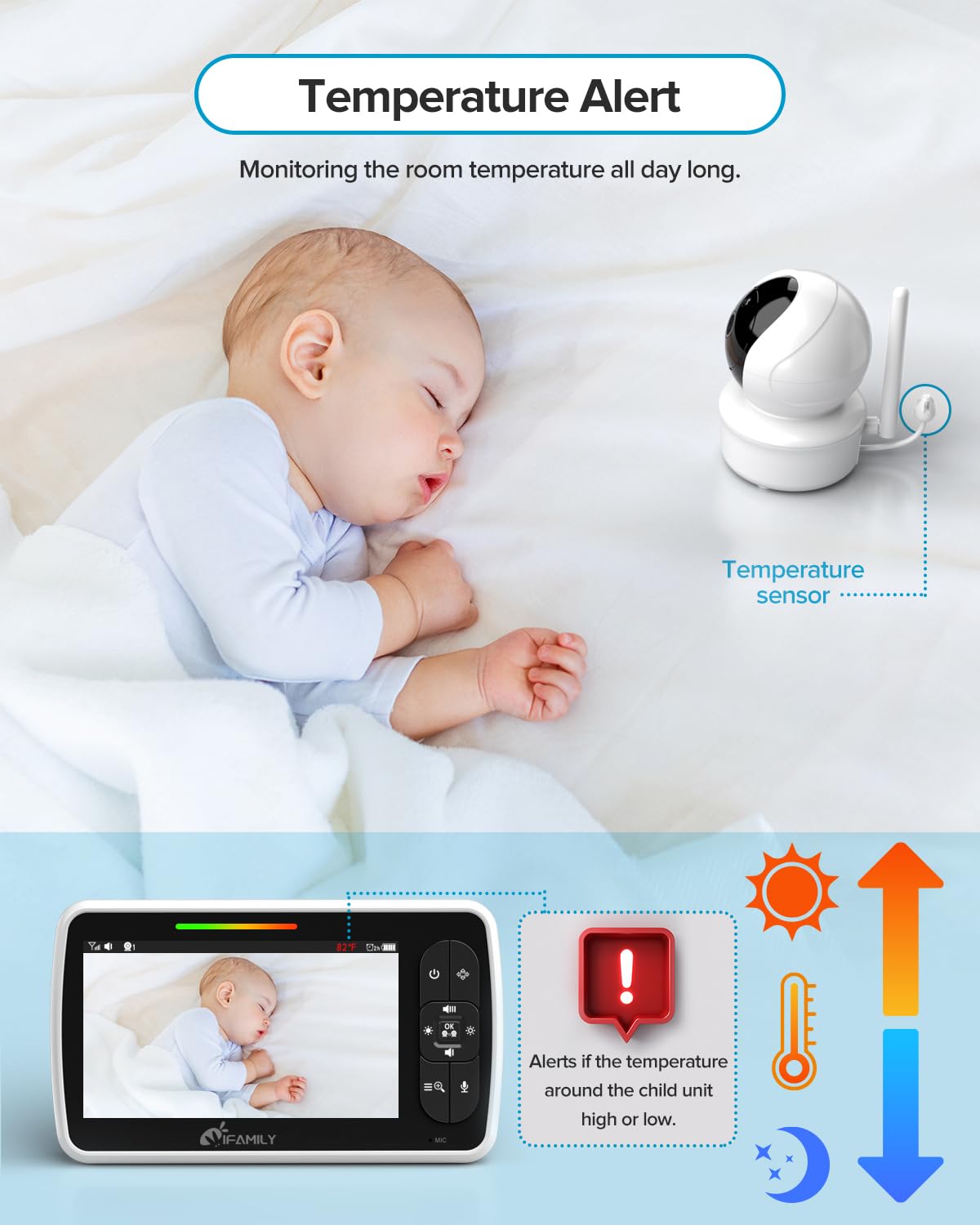
Two-Way Audio That Is Crystal Clear Engage in a fun conversation with your baby from another room using high quality two-way communication. Fill your ears with every sweet and adorable sound that comes from your babys nursery. No Corner Left Unseen Keep a close eye on your baby and the entire nursery room with the remote pan, tilt and zoom controls conveniently located on the monitor screen. Stay On Schedule Quickly and easily set helpful reminders directly on the monitor screen to keep you on schedule for important things like diaper changes, feeding and more. Simply Plug Up & Power On Requiring no pairing or connection, your nursery camera and parent monitor are ready to begin using straight out of the box. No Light, No Problem Clear images in the dark with no red glare using a high-powered infrared LED that is invisible so it wont bother your babys precious sleep. Roam About Your Home A long range of 960 feet provides the freedom to go anywhere in your house and still keep an eye & ear on your baby. Sweet Dreams Adorable lullabies are built-in to the baby monitor allowing for a more soothing bedtime experience for your baby. Eyes & Ears Everywhere Monitor more rooms with this innovative baby monitoring system designed to handle up to 4 cameras with a single monitor. Keep Baby Comfortable The monitor screen displays the room temperature, measured by the camera, and gives you the ability to adjust heating or cooling to ensure your babys comfort. VOX Mode - Automatically awakens the screen when it detects noise coming from your baby. Voice activated technology turns on the monitor screen automatically when your baby wakes up and starts fussing or crying, giving you a quick and easy view of your precious little baby.


Frequently Asked Questions
- Q: What is the screen size of the iFamily Baby Monitor? A: The iFamily Baby Monitor features a large five inch screen, providing a clear view of your baby at all times.
- Q: How long does the battery last on the iFamily Baby Monitor? A: The battery life lasts up to thirty hours, allowing for extended use without frequent recharging.
- Q: What is the range of the iFamily Baby Monitor? A: It offers a long range of nine hundred sixty feet, giving you the freedom to move around your home.
- Q: Does the iFamily Baby Monitor require Wi-Fi? A: No, it operates without Wi-Fi, ensuring privacy and security while monitoring your baby.
- Q: How many cameras can I connect to the iFamily Baby Monitor? A: You can connect up to four cameras to the monitor, allowing you to monitor multiple rooms.
- Q: Is there a two-way audio feature in the iFamily Baby Monitor? A: Yes, it has a two-way audio feature, enabling clear communication with your baby from another room.
- Q: How do I set reminders on the iFamily Baby Monitor? A: You can quickly set helpful reminders directly on the monitor screen for tasks like diaper changes and feedings.
- Q: What makes the night vision feature special? A: The night vision uses invisible infrared LED lights, providing clear images in the dark without disturbing your baby.
- Q: How do I ensure my baby is comfortable with this monitor? A: The monitor displays the room temperature, allowing you to adjust heating or cooling for your baby's comfort.
- Q: Can I use the iFamily Baby Monitor out of the box? A: Yes, it requires no pairing or connection and is ready to use straight out of the box.
- Q: What is the warranty policy for the iFamily Baby Monitor? A: The monitor typically comes with a manufacturer's warranty; please check the packaging or website for specific details.
- Q: What if the iFamily Baby Monitor arrives damaged? A: If it arrives damaged, you should contact the seller or manufacturer for a return or replacement.
- Q: What should I do if I experience connectivity issues? A: Ensure the monitor is within the nine hundred sixty feet range and try restarting both the monitor and camera.
- Q: How do I clean the iFamily Baby Monitor? A: Use a soft, damp cloth to gently wipe the monitor's surface; avoid using harsh chemicals that could damage the screen.
- Q: Is the iFamily Baby Monitor safe for babies? A: Yes, the monitor is designed with safety in mind, and it includes features that protect your baby's privacy.