


You will not be allowed to compare more than 4 products at a time
View compareIbaby M8 2K Smart Baby Monitor, 355 Pan 110 Tilt And 2-Way Talk, Video Baby Monitor With Crying And Motion Alerts, Moonlight Pro
Ibaby M8 2K Smart Baby Monitor, 355 Pan 110 Tilt And 2-Way Talk, Video Baby Monitor With Crying And Motion Alerts, Moonlight Pro
Regular price
$127.63 USD
Sale price
$127.63 USD
Regular price
$127.63 USD
Unit price
per
Shipping calculated at checkout.
Out of stock
Out of stock
Sold by CuteBabyBuy — Trusted baby & kids' products store, operated by AmiVentures Inc.
Returns accepted within 30 days | support@cutebabybuy.com
Shipping Information
- Free Standard Shipping — United States only
- Processing Time: 3–5 business days
- Estimated Delivery: 6–10 business days after dispatch
- Securely packed to ensure your purchase arrives in perfect condition
- Tracking number sent via email once dispatched
Returns & Refund
Returns accepted within 30 days of delivery.
Damaged or Defective Item
Free return shipping + replacement or full refund
Wrong Item Received
Free return shipping + replacement or full refund
Change of Mind
Return shipping at customer's expense · Item must be unused & in original packaging
All returns require a Return Authorization (RA) number before sending.
View Full Return & Refund Policy
Safety & Compliance
⚠️
California Proposition 65 Warning
Some products sold on this website may expose you to chemicals known to the State of California to cause cancer, birth defects, or other reproductive harm.
www.P65Warnings.ca.gov
🛒
General Product Safety Advisory
Always read the product label, instructions, and safety warnings before use. Do not use damaged or modified products. Store products in appropriate conditions as specified by the manufacturer.
Keep all products out of reach of children unless specifically designed for their use.
ℹ️
Product Authenticity & Notice
All products sold by CuteBabyBuy are 100% authentic, sourced directly from trusted suppliers in the USA. Product colors and dimensions may vary slightly from images due to screen calibration and manufacturing tolerances.
CuteBabyBuy — Operated by AmiVentures Inc. Delivered Nationwide.
Share
Couldn't load pickup availability
Guarantee safe and secure checkout
Description
Description
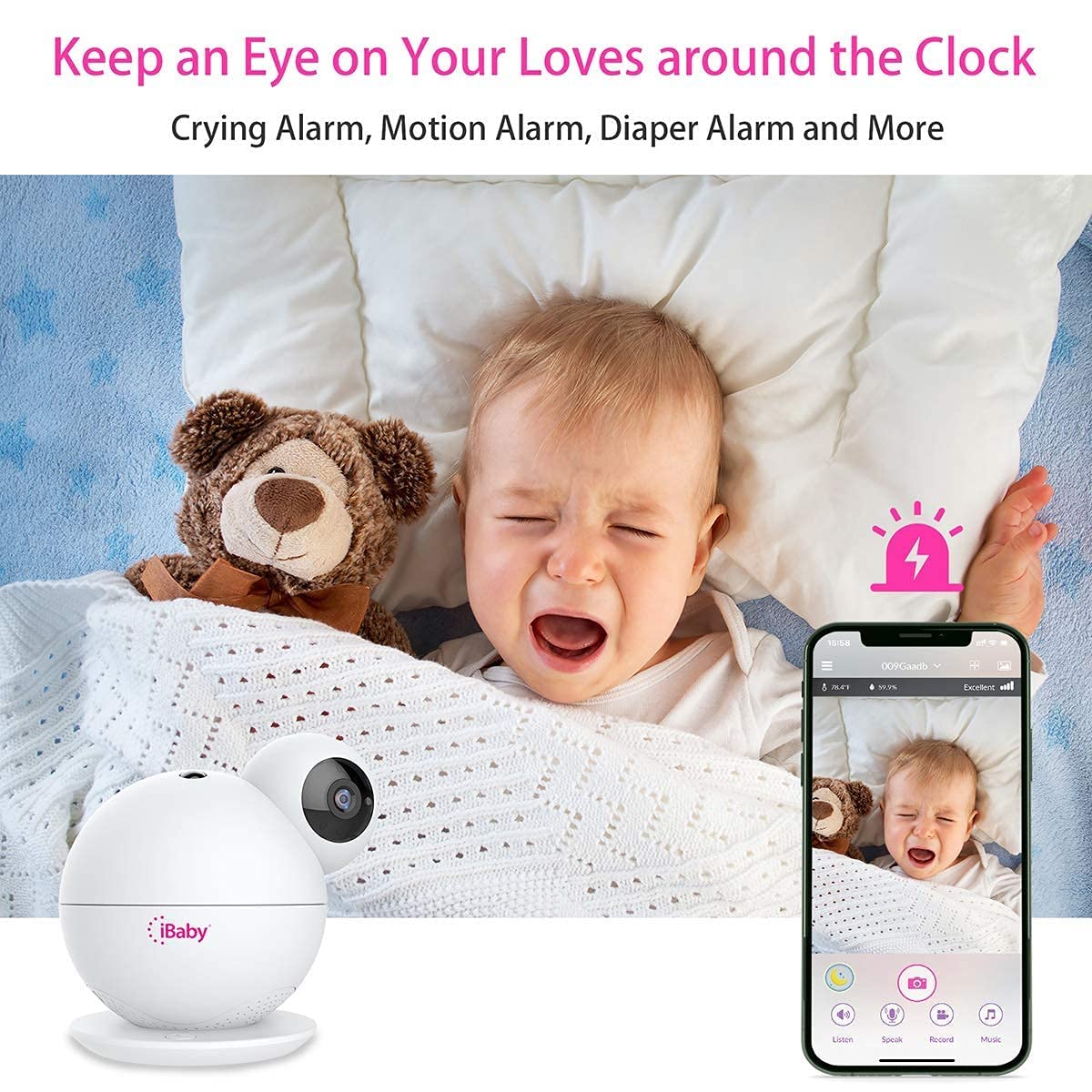
Mommy Assistant Features: Baby growth & weight tracking, privacy breastfeeding button, motion and crying alerts, customizable feeding and diaper alarms Security Features: iBaby gives you critical security features in the palm of your hand. With high-level AWS security and enhanced security measures, you can be sure that only you or the family members you choose can view or have access to your iBaby video monitor. View remotely from any location Manually turn the monitor off/on Privacy button & AWS services 355 pan and 106 tilt, with wall mount kit, you can have 180 viewing angel Health & Environment: 1. iBaby's smart sound and motion sensors will alert you whenever there's sound or movement detected. 2. Temperature & humidity detector. 3.Free could storage for alerts. 1. Is the cloud storage free? Is there a limit? It has cloud storage free for alerts, 100 video clips or 300 pictures. 2. Does this model also have the white noise maker? Yes, the iBaby M8 has built-in white noises. Along with the white noises, there is a wide variety of music, lullabies, nature sounds and bedtime stories. 3. Can it be viewed with an Android and iphone at the same time? I have an Android, my husband has an iphone Yes, both Android and iOS devices can view the monitor at the same time. Just make sure that you are not using the same email/ sing in credentials to sign in on both devices. The account owner (person who installs the monitor the 1st time) has to invite all other viewers to view the video feed with their own credentials. 4.Can I use with 220V? The voltage on our iBaby power cord is 100-240v. and It is US plug, charge with a USB cable, if you need to use it outside of the US, you can change the adaptor. The monitor doesnt work with batteries. 5. Does this come with a wall mounting kit? Yes It does.


Frequently Asked Questions
- Q: What is the resolution of the iBaby M8 Smart Baby Monitor? A: The iBaby M8 has a resolution of two thousand four hundred pixels. This provides a crisper picture that is two times higher than one thousand eighty pixels.
- Q: What are the dimensions of the iBaby M8 monitor? A: The dimensions of the iBaby M8 are six point three inches in length, six point zero inches in width, and six point three inches in height. These compact measurements make it easy to place in any room.
- Q: What materials is the iBaby M8 made of? A: The iBaby M8 is made primarily of plastic. This material ensures durability while keeping the monitor lightweight and easy to handle.
- Q: How do I install the iBaby M8 monitor? A: To install the iBaby M8, you simply need to mount it using the included wall mounting kit. Follow the instructions provided in the manual for secure installation.
- Q: Can I view the iBaby M8 on multiple devices? A: Yes, the iBaby M8 can be viewed on both Android and iOS devices simultaneously. Ensure that each user has their own credentials to access the monitor.
- Q: Is the iBaby M8 suitable for use with non-US voltage? A: Yes, the iBaby M8 can operate with voltages ranging from one hundred to two hundred forty volts. This means you can use it internationally with the appropriate adapter.
- Q: How do I keep the iBaby M8 monitor clean? A: To clean the iBaby M8, use a soft damp cloth to wipe the surface. Avoid using harsh chemicals or abrasive materials to maintain its appearance and functionality.
- Q: Does the iBaby M8 have a warranty? A: Yes, the iBaby M8 generally comes with a warranty. Check the packaging or the manufacturer's website for specific details regarding the warranty period and coverage.
- Q: Is the iBaby M8 monitor safe for my baby? A: Yes, the iBaby M8 is designed with safety in mind. It includes high-level AWS security features to ensure that only authorized users can access the video feed.
- Q: What if the iBaby M8 monitor arrives damaged? A: If the iBaby M8 arrives damaged, contact customer support immediately. They will assist you with return options or replacements according to their policy.
- Q: How do I set up the crying alerts on the iBaby M8? A: To set up crying alerts on the iBaby M8, access the settings through the app. Enable the crying detection feature and customize the alert settings to your preference.
- Q: Can I use the iBaby M8 without the app? A: No, the iBaby M8 requires the app for full functionality. Download the app on your device to access features like live streaming and alerts.
- Q: What types of alerts does the iBaby M8 provide? A: The iBaby M8 provides motion, crying, and temperature/humidity alerts. These notifications help you stay informed about your baby's environment.
- Q: Does the iBaby M8 include a night light feature? A: Yes, the iBaby M8 includes a moonlight projector that creates soothing night sky projections. This feature helps create a calming bedtime environment.
- Q: How many lullabies does the iBaby M8 have? A: The iBaby M8 comes with over one thousand lullabies and sounds. This wide variety helps soothe your baby to sleep.